


Welcome to the ONLYOFFICE Docs repo!
ONLYOFFICE Docs (formerly Document Server) is a free collaborative online office suite comprising viewers and editors for texts, spreadsheets, presentations, forms, PDFs, and diagrams. It is fully compatible with Office Open XML formats (.docx, .xlsx, .pptx) and Adobe PDF, including fillable PDF forms, and enables collaborative editing in real time.
Extend ONLYOFFICE Docs with ONLYOFFICE Apps: AI agents, Forms, Rooms, and Files. You can also use the editors as part of ONLYOFFICE Workspace or connect them to 50+ platforms such as Odoo, Moodle, Nextcloud, ownCloud, Confluence, etc. to enable collaborative editing within their interface.
ONLYOFFICE Docs is available in three editions: Community, Enterprise, and Developer. Don't want to host the editors yourself? Try Docs Connect, a cloud service maintained by ONLYOFFICE that you embed into your platform.
Download Community for free · Try Enterprise for 30 days · Create a free cloud account
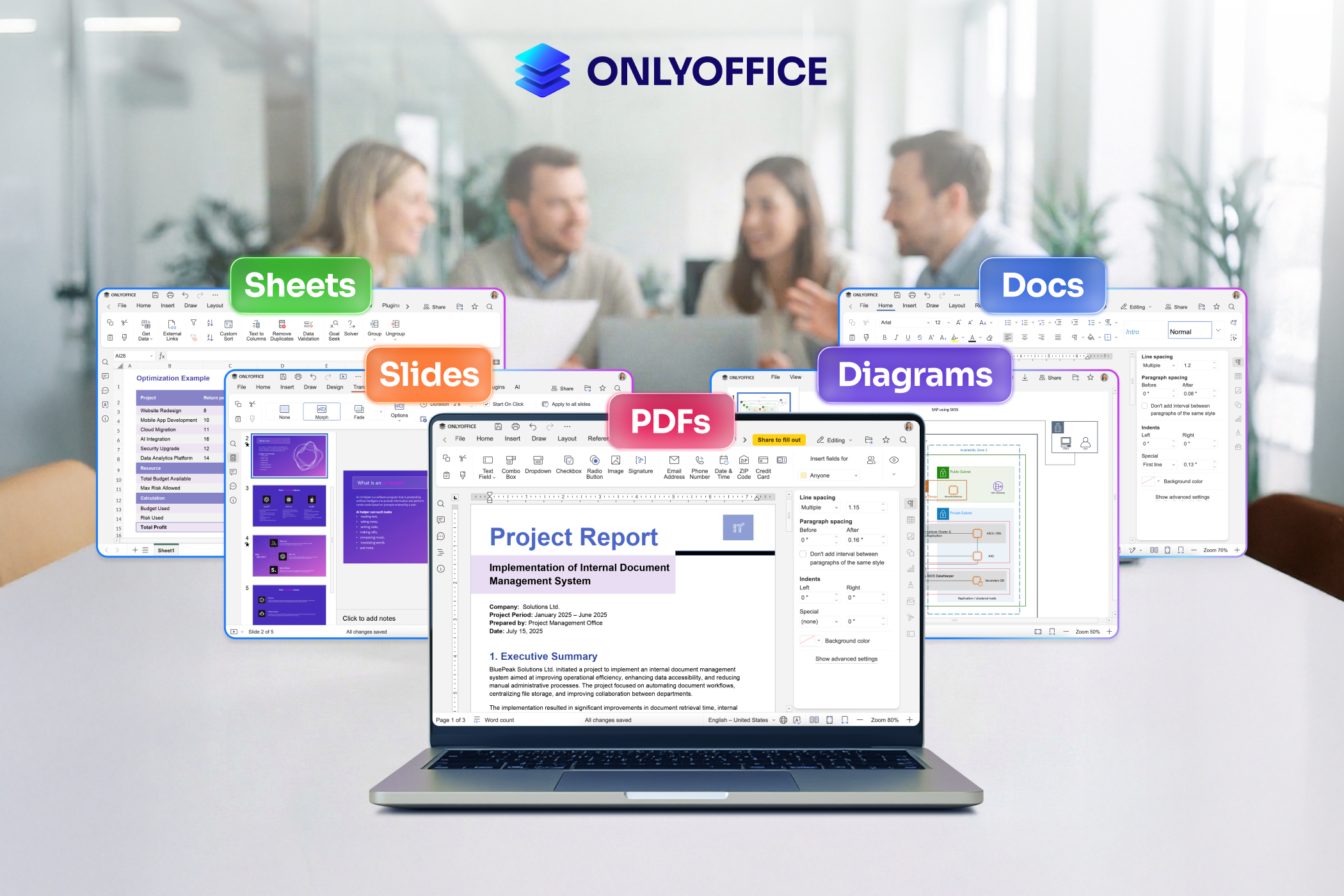
Table of contents
- What's new in 10.0
- Features you'll love
- Desktop and mobile apps
- Localization
- Plugins
- Components
- ONLYOFFICE Docs editions
- Security
- Quick start with Docker
- Get started: How to install on a local server
- How to build
- Related repositories
- License
- User Feedback and Support
🆕 What's new in 10.0
- AI tools in every editor: context-aware AI for documents, spreadsheets, presentations, and PDFs, in a dedicated AI Tools tab. Connect any model, including local ones. In the open-source version, AI tools are installed separately.
- Modular apps: extend the editors with AI agents, Forms, Rooms, and Files, and turn on only what you need.
- Smarter PDF Editor: automatic table recognition, metadata removal, and reusable signatures.
- Faster spreadsheets, new presentation views and print options, and export of slides to GIF or video.
- More formats: open and convert OFD files, and save spreadsheets as XLS.
- About 50 new features, 1,000+ bug fixes, and 40+ security fixes.
Upgrading an integration? Version 10.0 turns on JWT by default, scopes tokens for service APIs, requires explicit WOPI hosts, and moves DEB and RPM installations to port 8083. Check the developer notes before you upgrade.
👉 See everything new in 10.0 · Full changelog
Features you'll love ✨
Work with all your content in one suite:
The editors empower you to create, edit, save, and export text documents, spreadsheets, presentations, PDFs, create and fill out PDF forms, open diagrams, all while offering additional advanced features such as:
- Collaborative editing 🤝
- AI tools 🤖
- Reviewing 📝
- Spell-checking 🔍
- Accessibility 👩💻
- Scalable UI options (including dark mode 🌓)
- Security tools and services 🔒
Desktop and mobile apps 💻📱
Work with the same editors outside the browser with free apps:
- Desktop Editors for Windows, macOS, and Linux: edit files offline, connect your cloud, and use AI with your own keys or local models.
- Mobile apps for iOS and Android: an AI assistant, AI AutoFill for forms, and voice input on the go.
Localization 🌐
ONLYOFFICE is constantly improving localization of the editors to make the suite accessible to all users, all over the world.
- Interface available in 46 languages
- RTL support
- CJK support (Chinese, Japanese, Korean) 🈴
Plugins 🧩
ONLYOFFICE Docs supports plugins that let developers add features to the editors that are not directly related to the OOXML format. For more information, see our API or visit the GitHub plugins repo.
Want to explore the existing plugins in detail? Visit our Marketplace.
Components 📦
ONLYOFFICE Docs contains the following components:
- server - the backend server software layer which is the base for all other components of ONLYOFFICE Docs.
- core - server core components of ONLYOFFICE Docs which enable the conversion between the most popular office document formats (DOC, DOCX, ODT, RTF, TXT, PDF, HTML, EPUB, XPS, OFD, DjVu, XLS, XLSX, ODS, CSV, PPT, PPTX, ODP).
- core-fonts - open-source fonts bundled with ONLYOFFICE Docs for document rendering and conversion.
- sdkjs - JavaScript SDK for the ONLYOFFICE Docs which contains API for all the included components client-side interaction.
- web-apps - the frontend for ONLYOFFICE Docs which builds the program interface and allows the user create, edit, save and export text, spreadsheet and presentation documents using the common interface of a document editor.
- dictionaries - the dictionaries of various languages used for spellchecking in ONLYOFFICE Docs.
- document-formats - metadata describing the file formats supported by ONLYOFFICE editors.
- document-templates - blank and sample templates used when creating new documents.
ONLYOFFICE Docs editions
ONLYOFFICE Docs (packaged as Document Server) comes in three editions that you deploy on your own servers:
- Community 🆓 (
onlyoffice-documentserverpackage): free and open source for non-critical use. - Enterprise 🏢 (
onlyoffice-documentserver-eepackage): for businesses that need the Admin Panel, support with a guaranteed response time, AI tools, and scaling. - Developer ⚙️ (
onlyoffice-documentserver-depackage): for integrators who bring document editing to their app users.
The table below will help you make the right choice.
All editions include:
- the editors for documents, spreadsheets, presentations, PDFs, and forms;
- real-time co-editing, comments, chat, track changes, version history, comparison;
- plugins and macros;
- Apps (Rooms, Forms, Files, AI agents);
- HTTPS traffic encryption;
- JWT protection;
- 50+ ready-made connectors.
| Community | Enterprise | Developer | |
|---|---|---|---|
| Download free | Start free trial | Start free trial | |
| Licensing and support | |||
| License | GNU AGPL v3 | Commercial | Commercial |
| Recommended number of users | Up to 20 | As in your pricing plan | As in your pricing plan |
| Support | Forum and GitHub | Basic, Plus or Premium | Basic, Plus or Premium |
| First response time (SLA)¹ | No guarantee | 12 to 48 working hours, by level | 12 to 48 working hours, by level |
| Support requests included¹ | — | 5, 10 or 20, by level | 5, 10 or 20, by level |
| Help with installation, configuration, migration and updates | Do it yourself | ✅ | ✅ |
| Help with integrating the editors | Do it yourself | ✅ | ✅ |
| Monitoring and clustering assistance | — | With Premium support | With Premium support |
| Remote sessions and an account engineer | — | With Premium support | With Premium support |
| Priority security and stability fixes | — | ✅ | ✅ |
| Administration | |||
| Admin Panel² | Manual setup in config files and server scripts | Simple setup in a web interface | Simple setup in a web interface |
| Mobile web editors | — | ✅ | ✅ |
| Statistics and health checks | Manual server requests | One click in the Admin Panel | One click in the Admin Panel |
| Final server configuration view | — | ✅ | ✅ |
| Signing certificate for PDF forms | — | ✅ | ✅ |
| AI and apps (new in 10.0) | |||
| AI tools in the editors³ | — | ✅ | ✅ |
| Central AI settings⁴ | — | ✅ | ✅ |
| Local and offline AI models | — | ✅ | ✅ |
| Scaling and reliability | |||
| Server architecture⁵ | Single process, no RabbitMQ or database | RabbitMQ + database, built for high load | RabbitMQ + database, built for high load |
| Cluster | — | Add-on | Add-on |
| Disaster recovery | — | Add-on | Add-on |
| Multi-tenancy | — | Add-on | Add-on |
| Integration and branding | |||
| Live viewer⁶ | — | ✅ | ✅ |
| Automation API | — | Add-on | Add-on |
| White Label⁷ | — | — | Ask about White Label |
| Pricing | Free | See prices | See prices |
| Download free | Start free trial | Start free trial |
¹ First response within 48, 24, or 12 working hours with Basic, Plus, or Premium support, which include 5, 10, or 20 requests.
² Set up HTTPS, WOPI, security, file size limits, fonts, and AI in a web interface, and see statistics and health checks in one place.
³ Summarize, rewrite, translate, and analyze content inside documents.
⁴ Assign models to tasks and limit providers server-wide.
⁵ A message queue and a database share the load across processes and servers, keep editing fast under heavy use, and make clustering and failover possible.
⁶ See co-authors' changes in real time in view-only mode.
⁷ Your logo, name, and interface settings.
🔐 Security
- 40+ security fixes in 10.0, covering document conversion, PDF handling, macros, integrations, and server configuration. Read the overview ↗
- October 2026 Node.js vulnerabilities: Enterprise and Developer builds now run on Node.js 24.22.1, with fix branches 10.0.2 and 9.4.2 for older versions. Learn more ↗
- Found a vulnerability? Please report it responsibly to security@onlyoffice.com.
🐳 Quick start with Docker
Run ONLYOFFICE Docs Community with one command:
sudo docker run -i -t -d -p 80:80 -e JWT_SECRET=my_jwt_secret onlyoffice/documentserver
JWT is on by default. Set your own JWT_SECRET and use the same value in your integration; otherwise the container generates a random secret. To keep your data between restarts, mount volumes as described in the Docker-DocumentServer README.
🚀 Get started: How to install on a local server
The easiest way to install ONLYOFFICE Docs is to use the Docker image 👉 Check the official source code
Explore these step-by-step guides:
- Installing ONLYOFFICE Docs Docker
- Installing ONLYOFFICE Docs for Linux
- Installing ONLYOFFICE Docs for Windows
How to build 🛠
You can find the detailed instructions for building ONLYOFFICE Docs on a local server from source code in our Help Center.
Related repositories 🔗
- Docker-DocumentServer: the Docker image and its configuration options.
- document-server-integration: examples of integrating ONLYOFFICE Docs into your website or application.
- DesktopEditors: the free desktop apps for Windows, macOS, and Linux.
- ONLYOFFICE Apps: AI agents, Forms, Rooms, and Files that extend the editors.
License 📄
ONLYOFFICE Docs is licensed under the GNU Affero Public License, version 3.0, ensuring its transparency and commitment to the open-source community.
See LICENSE for more information.
💡 User Feedback and Support
- 🐞 Found a bug? Please report it by creating an issue.
- ❓ Have a question? Ask other users and our developers in the ONLYOFFICE Community.
- 🥷 Want to be a power user? Visit our YouTube channel and Help Center.
- 👨💻 Need help for developers? Check our API documentation.
- 💡 Want to suggest a feature? Share your ideas here.
- Join our Discord community for connecting with fellow developers.
Ready to try ONLYOFFICE Docs? 👉 Download Community for free or start a free Enterprise trial ✨
Made with ❤️ by the ONLYOFFICE Team